AttributeError: module ‘tensorflow‘ has no attribute ‘placeholder‘解决办法
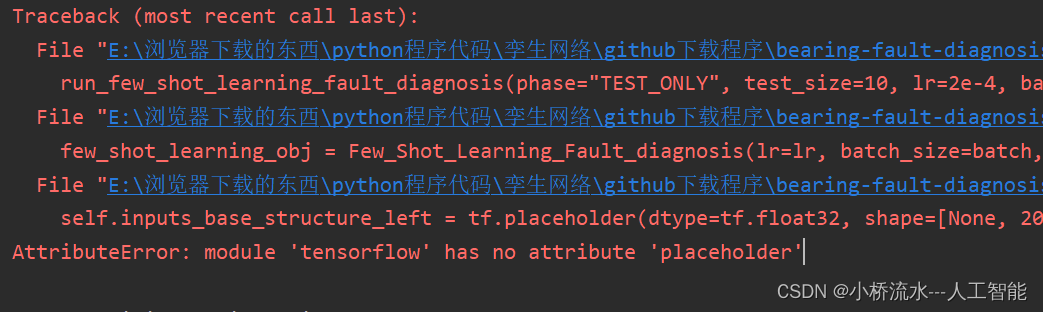
1.报错代码
self.inputs_base_structure_left = tf.placeholder(dtype=tf.float32, shape=[None, 2048, 2], name="inputs_left") # initial a inputs to siamese_network
2. 报错原因
AttributeError: module 'tensorflow' has no attribute 'placeholder' 这个错误发生的原因是因为在较新版本的 TensorFlow 中,tf.placeholder 已经被弃用,取而代之的是使用 tf.compat.v1.placeholder 或者直接使用 TensorFlow 2.x 中的新特性,比如 tf.function 和 tf.Tensor 来定义输入。
TensorFlow 2.x 相较于 1.x 版本有着显著的变化,其中最重要的是引入了即时执行(Eager Execution)和函数式编程模型,这使得 TensorFlow 的使用变得更加直观和Pythonic。在 TensorFlow 2.x 中,许多 TensorFlow 1.x 的概念(比如图计算、会话等)都被简化或重新设计了。
3. 解决办法
-
使用 TensorFlow 1.x 兼容模式:
在 TensorFlow 2.x 中,你可以通过启用 TensorFlow 1.x 兼容模式来使用tf.placeholder。在代码的开始处添加以下行:import tensorflow as tf tf.compat.v1.disable_eager_execution()然后,你可以使用
tf.compat.v1.placeholder来创建占位符:x = tf.compat.v1.placeholder(tf.float32, shape=[None, 784]) y = tf.compat.v1.placeholder(tf.float32, shape=[None, 10])注意,在 TensorFlow 2.x 中使用兼容模式可能会限制你使用 TensorFlow 2.x 的新特性。
-
使用 TensorFlow 1.x 版本:(
我的方法)
如果你不打算将代码迁移到 TensorFlow 2.x,你可以考虑安装并使用 TensorFlow 1.x 版本。但请注意,TensorFlow 1.x 不再得到官方的积极支持,且存在安全隐患。